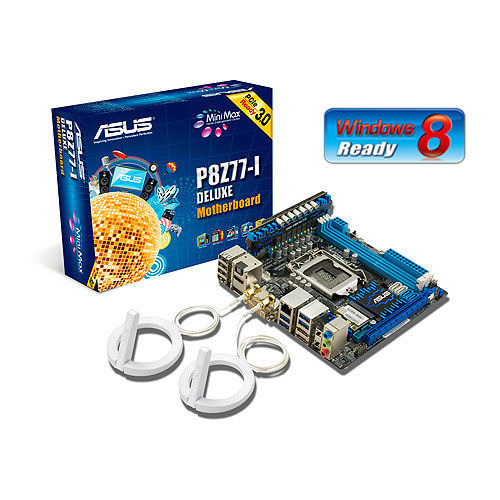
Driver Mini-ITX Z77

P8Z77-I DELUXE

Your Next Mini-ITX Z77 Build with 10-Phase Digital Power Design, Home Theater Features and Remote Control Functions over Wi-Fi

Share:

Driver Z170GT7 Ver. 5.x

Z170GT7

Z170GT7 Ver. 5.x

Socket : 1151
  • Support for 6th Gen Intel Core Processors, enables overclocking on Unlocked Intel Core Processors
  • Intel Z170 single chip architecture
  • Support 4-DIMM DDR4-3200(OC)/ 2133/ 1867 up to 64G maximum capacity
  • BIOSTAR Hi-Fi Technology inside
  • Support USB 3.1 Type-C
  • Support PCIe M.2(32Gb/s)
  • Support SATA Express(16Gb/s)
  • Support HDMI true 4K resolution
  • Driver Download
Share:

Driver download TH61 ITX Ver. 5.x


TH61 ITX Ver. 5.x

Socket : 1155
  • Supports the Intel 2nd generation Core i7 and Core i5 processors in the 1155 package
  • Intel H61 single chip architecture
  • 95W Sandy Bridge Processors Support
  • Support 2-DIMM DDR3-1333/1066 up to 16G maximum capacity
  • USB3.0 x 4 for Front X 2 + Rear X 2
  • uEFI BIOS
  • 100% X.D.C solid capacitor
  • Multi-Video output support : HDMI/DVI/VGA
  • 7.1 -Channel Blu-Ray Audio CODEC
  • Mini-ITX Form Factor (17 cm x 17 cm )
  • Optional USB3.0 2.5 inch Front Panel Bay
  • Download Driver
  • TH61 ITXTH61 ITX
Share:

Download Driver EPSON B310N


Print
Ink System4-colour
Ink TypeEpson DURABrite™ Ultra Ink
Max. Print Resolution5760x1440 dpi (with VSDT)
Min. Ink Droplet size3pl
Print Speed (Learn more)Approx. 37ppm (Black)

Approx. 37ppm (Colour)
Connectivity and Compatibility
PC-less functionNo
Index SheetNo
ConnectivityUSB 2.0 Hi-Speed

100Base-TX/10 Base-T- Ethernet interface
OS SupportWin 2000 / XPx64 Edition / Vista / 7

Mac OS X 10.3.9 or later
NetworkYes
Adobe PostscriptNo
File FormatsNA
Supported Card SlotsNA
Ink Cartridges
INKdividualYes
Ink Cartridge CodeBlack: Standard capacity C13T616100

Cyan: Standard capacity C13T616200

Magenta: Standard Capacity C13T616300

Yellow: Standard Capacity C13T616400
Paper Handling
Max. Paper SizeA4
BorderlessNo
Max. Paper Capacity650 sheets
Share:

Free Download Blender

Features Blender


Photorealistic Rendering

Rendering in Blender with Cycles
Blender now features a powerful new unbiased rendering engine called Cycles that offers stunning ultra-realistic rendering.
The built-in Cycles rendering engine offers:
  • GPU & CPU rendering
  • Realtime viewport preview
  • HDR lighting support
  • Permissive License for linking with external software

Fast Modeling

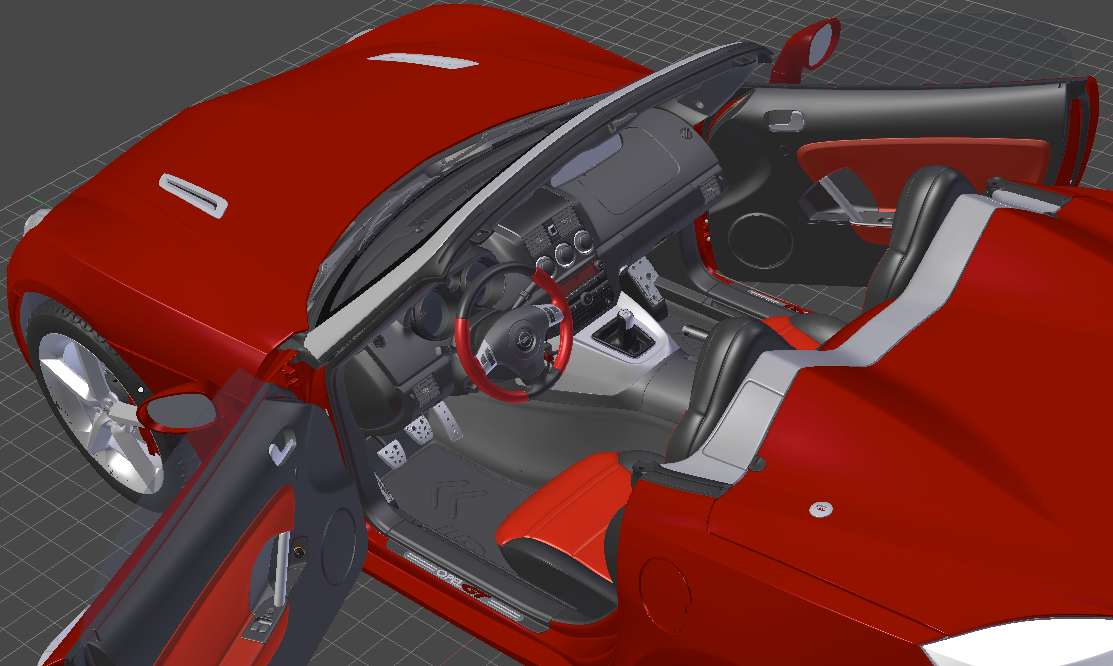
Modeling in BlenderBlender’s comprehensive array of modeling tools make creating, transforming and editing your models a breeze.
Blender’s modeling tools include:
  • Keyboard shortcuts for a fast workflow
  • N-Gon support
  • Edge slide, collapse and dissolve
  • Grid and Bridge fill
  • Python scripting for custom tools and add-ons

Realistic Materials

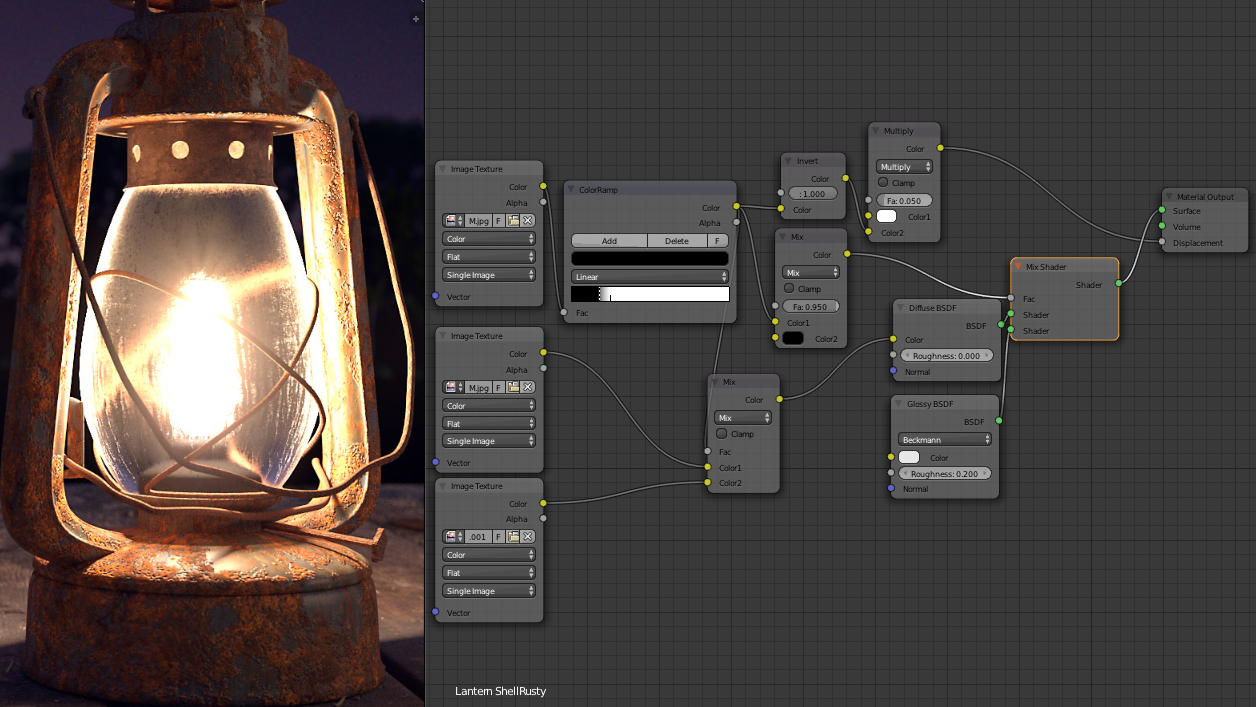
Materials in BlenderWith Blender’s new rendering engine the possibilities for materials are endless.
Key features are:
  • Complete Node Support for full customization
  • Physically accurate shaders like glass, translucency and SSS
  • Open Shading Language (OSL) support for coding unique shaders

Fast Rigging

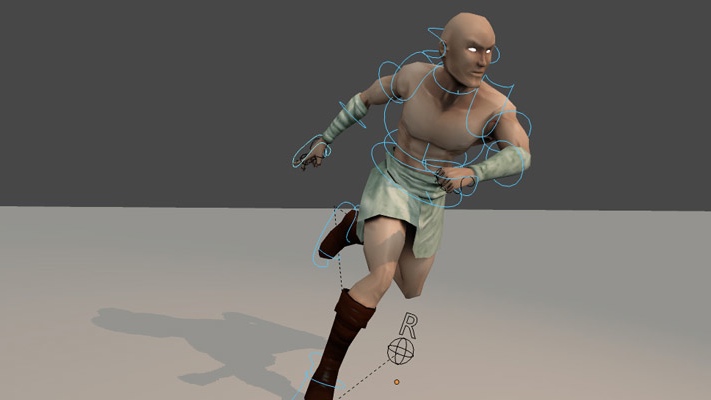
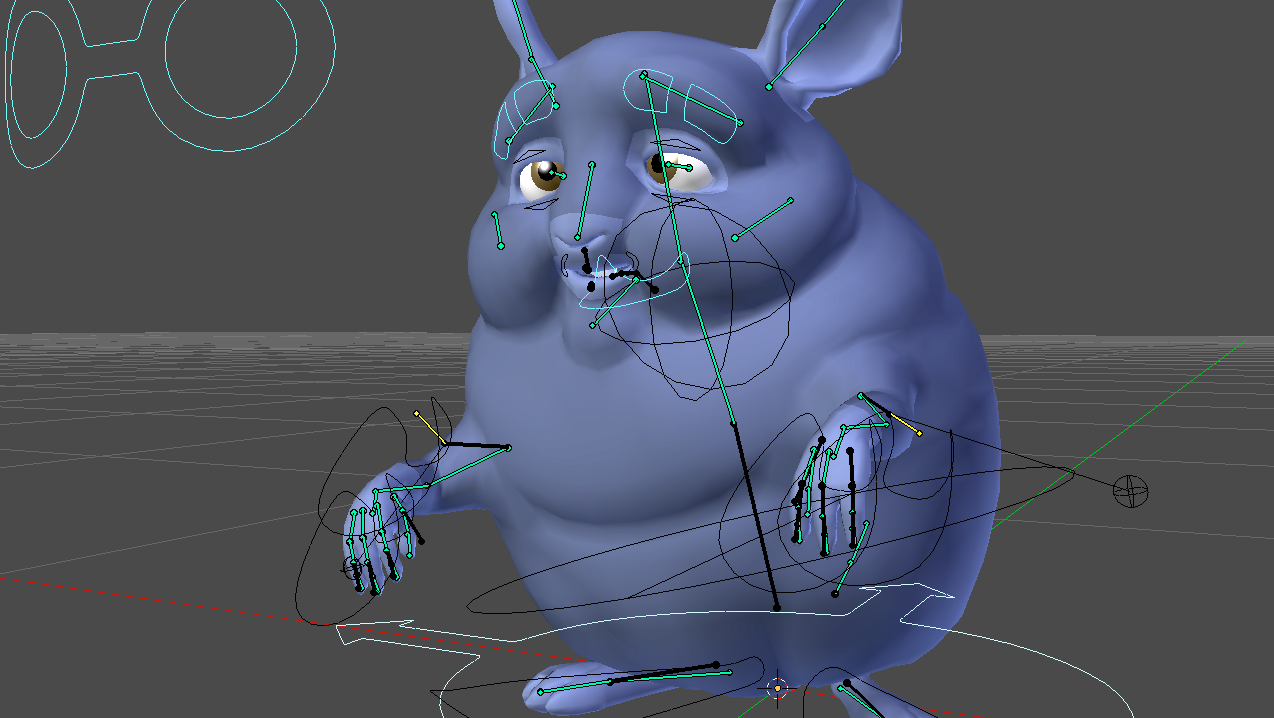
Rigging in BlenderTransforming a model into a posable character has never been easier!
Blender offers an impressive set of rigging tools including:
  • Envelope, skeleton and automatic skinning
  • Easy weight painting
  • Mirror functionality
  • Bone layers and colored groups for organization
  • B-spline interpolated bones

Animation toolset

riggingWhether it’s simple keyframing or complex walk-cycles, Blender allows artists to turn their still characters into impressive animations.
Blender’s animation feature set offers:
  • Automated walk-cycles along paths
  • Character animation pose editor
  • Non Linear Animation (NLA) for independent movements
  • IK forward/inverse kinematics for fast poses
  • Sound synchronization

Sculpting

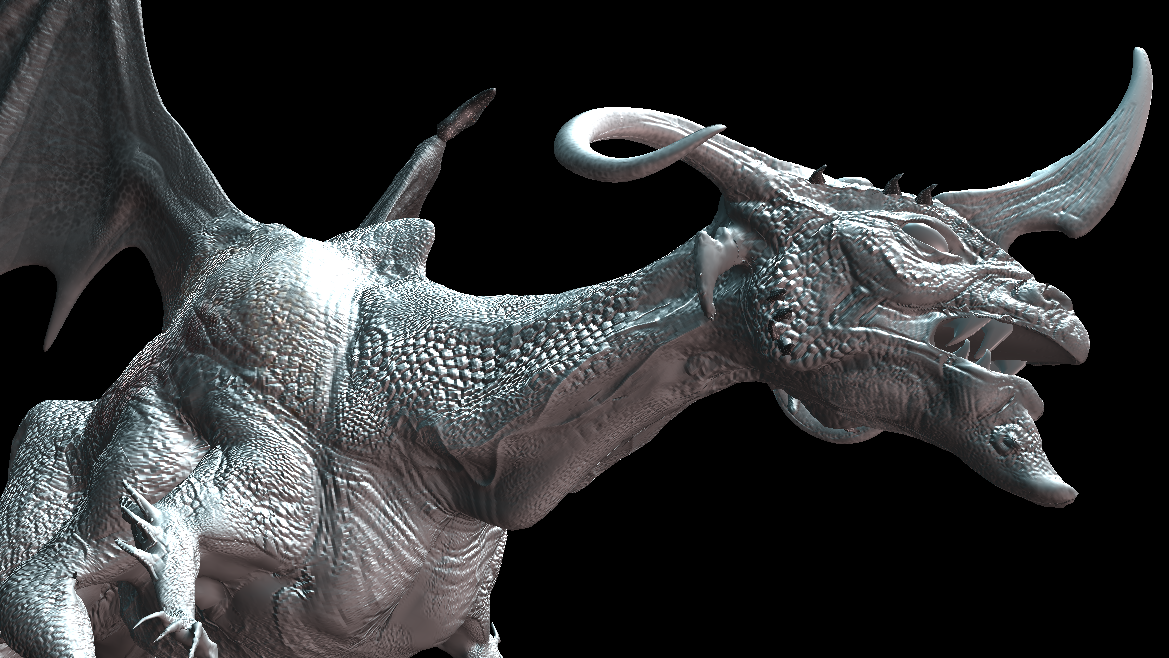
Sculpting in BlenderExperience the joy of sculpting organic subjects using the built-in sculpting feature set of Blender.
Sculpting in Blender includes:
  • 20 different brush types
  • Multi-res sculpting support
  • Dynamic Topology sculpting
  • Mirrored sculpting

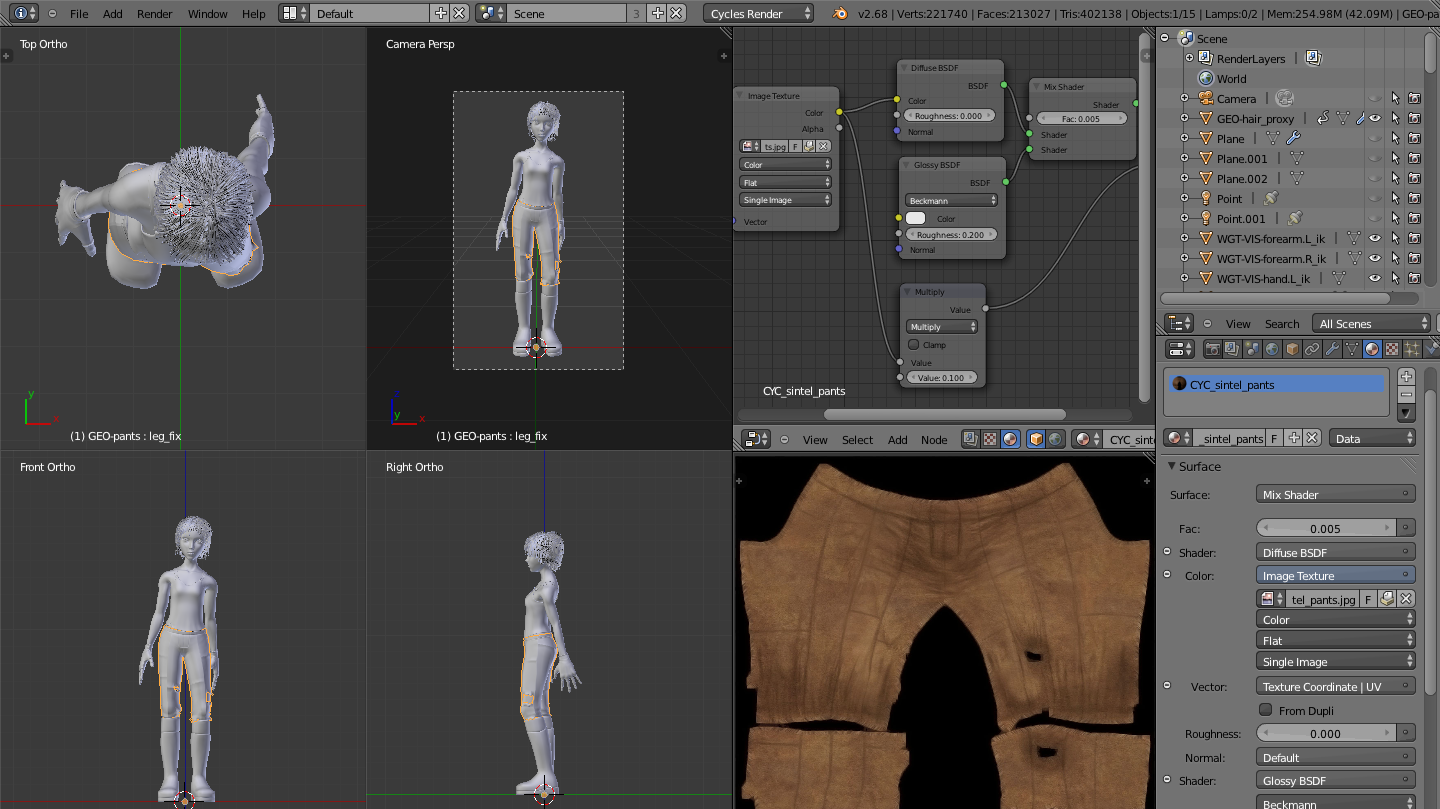
Fast UV Unwrapping

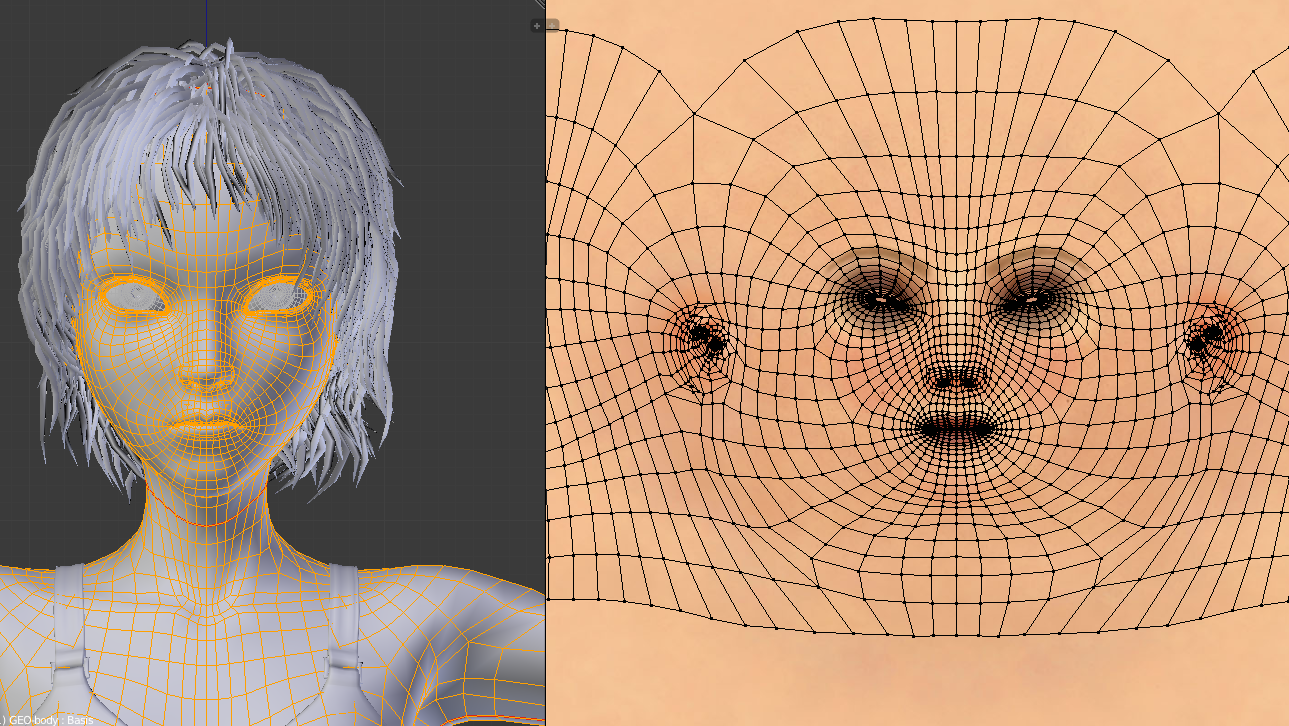
Easily unwrap your mesh right inside Blender, and use image textures or paint your own directly onto the model.
Blender allows for:
    UV Unwrapping in Blender
  • Fast Cube, Cylinder, Sphere and Camera projections
  • Conformal and Angle Based unwrapping (with edge seams and vertex pinning)
  • Painting directly onto the mesh
  • Multiple UV layers
  • UV layout image exporting

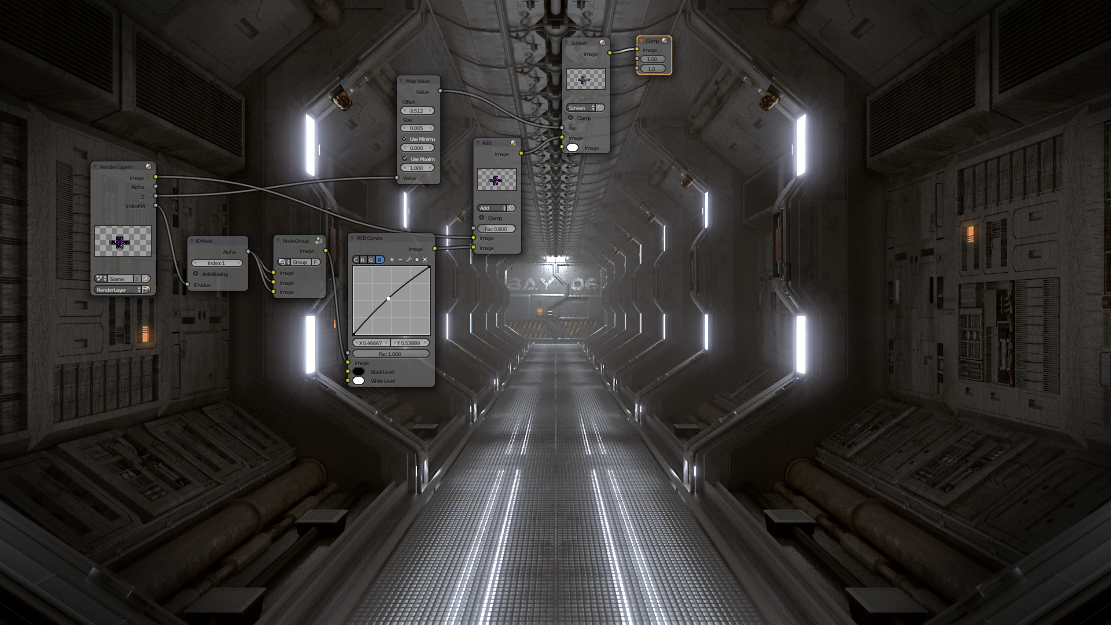
Full Compositor

Blender comes with a fully fledged compositor built right in. That means no more exporting to third party programs, you can do it all without leaving the program.
The compositor comes with:
    Compositing in Blender
  • Impressive library of nodes for creating camera fx, color grading, vignettes and much more
  • Render-layer support
  • Full compositing with images and video files
  • Ability to render to multiLayer OpenEXR files
  • Multi-threaded

Amazing Simulations

Whether you need a crumbling building, rain, fire, smoke, fluid, cloth or full on destruction, Blender delivers great looking results.
Blender’s simulation tools include
    463e785104
  • Fluid – Realistic water and fluid simulations.
  • Smoke – Billowing smoke with flames and scene interaction.
  • Hair – Beautiful wafts of hair that blows in the wind and interacts with collisions.
  • Cloth – Amazingly realistic cloth simulations for clothing and environments
  • Rigid Body Physics – Makes any object destructable and collidable
  • Particles – For creating things like rain, sparks and shrapnel

Game Creation

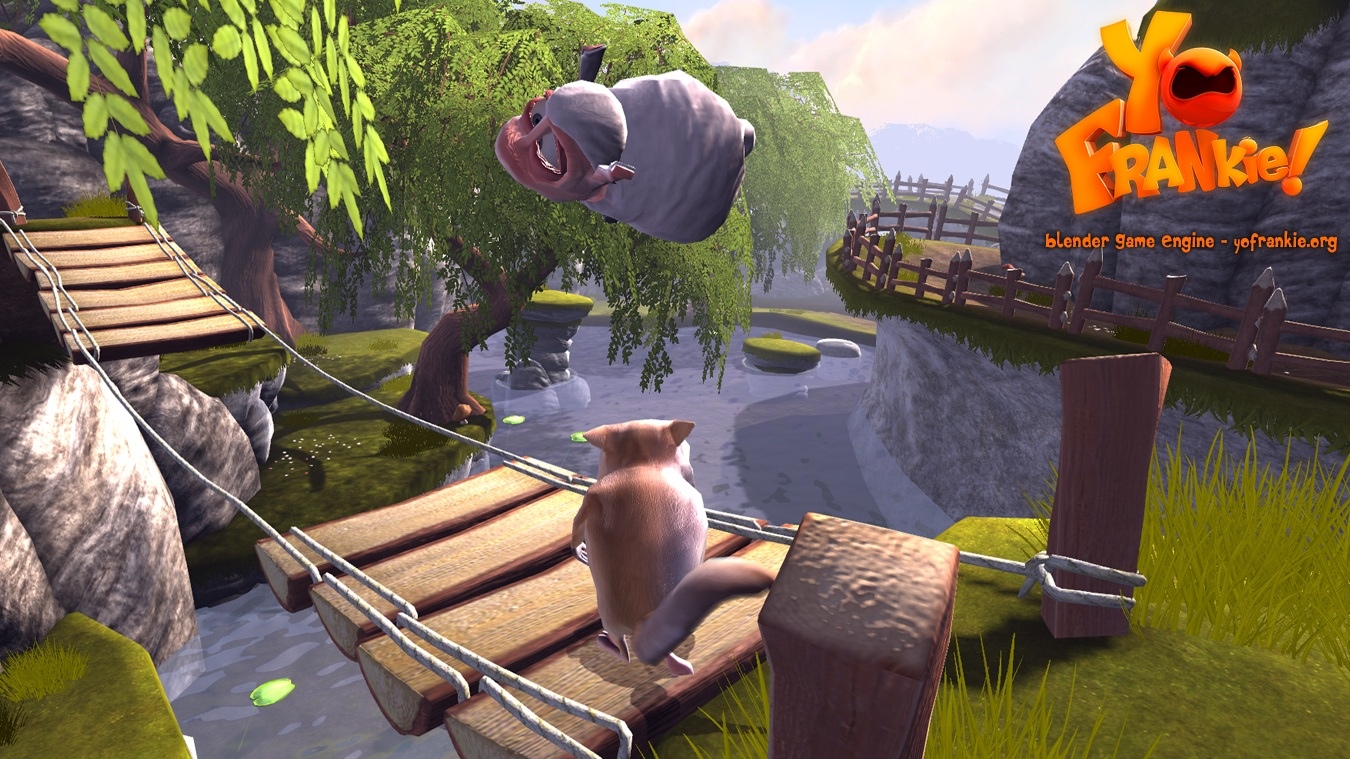
Included in Blender is a complete game engine, allowing you to create a fully featured 3d game right inside Blender.
The game engine includes:
    Blender Game Engine Screenshot
  • Ability to port your models to any third-party game engine
  • Create or code your own game logic
  • Full Bullet Physics integration
  • Python scripting API for advanced control and AI
  • Support for all OpenGLTM dynamic lighting, toon shading, animated materials as well as Normal and Parallax Mapping
  • Playback of games inside Blender without compiling or preprocessing
  • 3D spatial audio using OpenAL

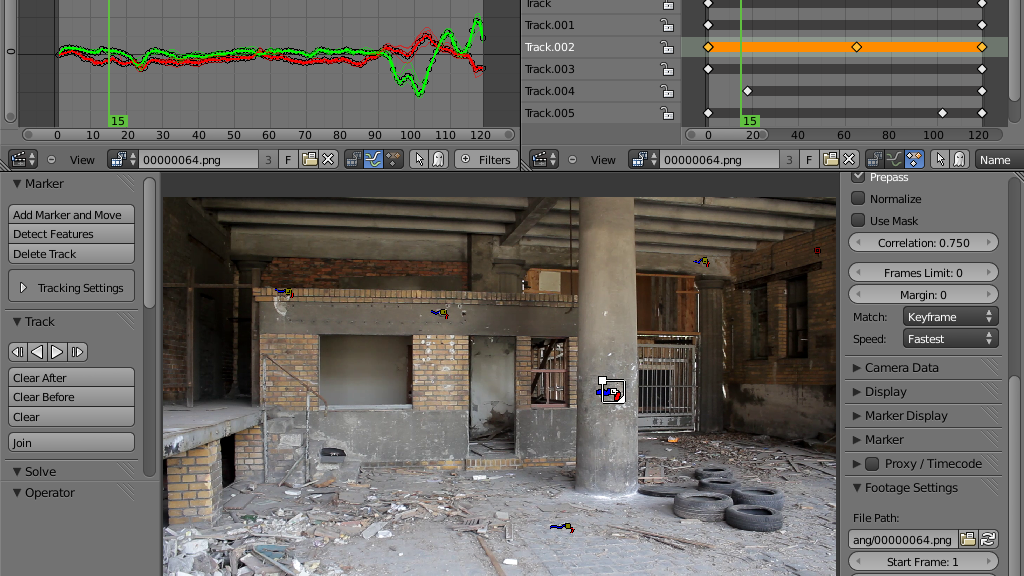
Camera and Object tracking

Camera tracking in BlenderBlender now includes production ready camera and object tracking. Allowing you to import raw footage, track the footage, mask areas and see the camera movements live in your 3d scene. Eliminating the need to switch between programs.
The Camera and Object Tracker includes:
  • Auto and manual tracking
  • Powerful camera reconstruction
  • Real-time preview of your tracked footage and 3d scene
  • Support for Planar tracking and Tripod solvers

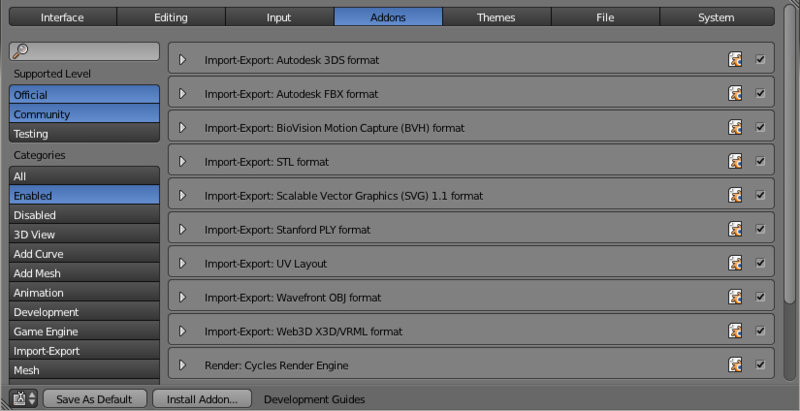
Library of Extensions

3057383d1aWith a large community of enthusiasts and developers, Blender comes loaded with a vast array of extensions that you can turn on or off easily.
Some existing extensions include:
  • Generators for trees, terrain, ivy and clouds.
  • Fracture Objects.
  • 3D Printing Toolbox.
  • Rigify meta-rigging system.
  • Import and Export format support for AfterEffects, DirectX, Unreal Game Engine and more!

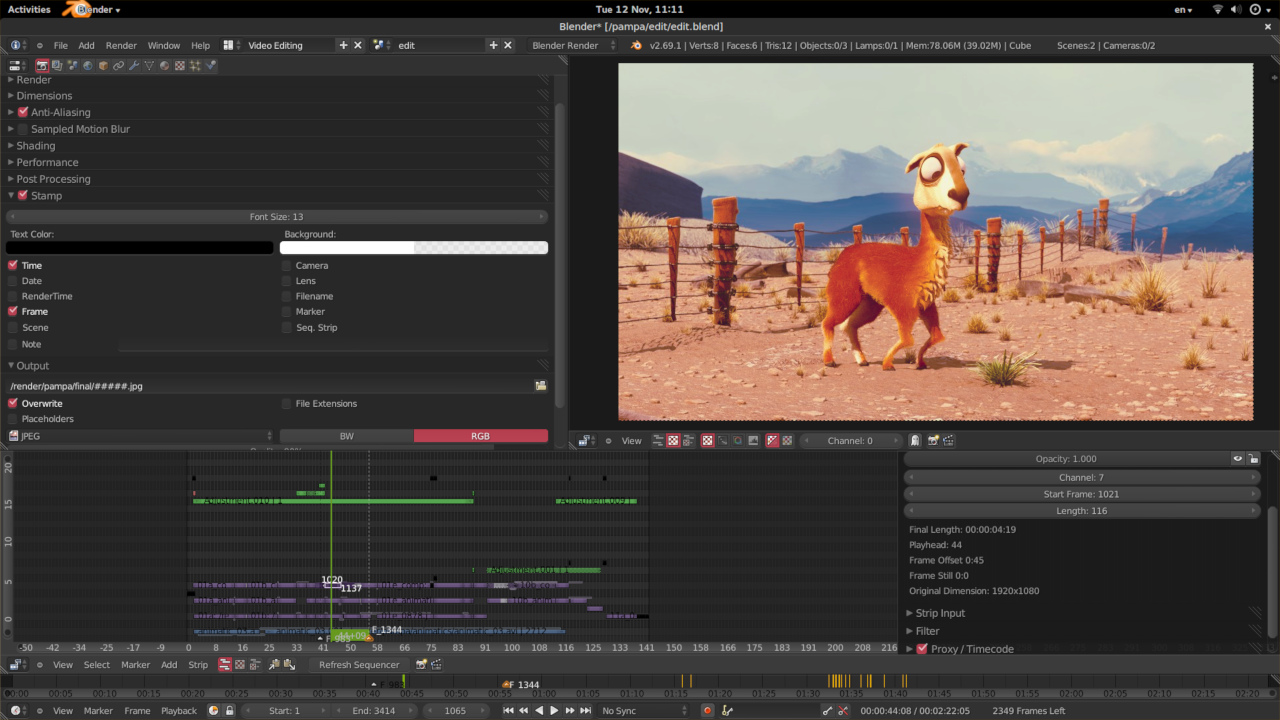
Video Editing

Blender even comes with a built-in Video Editor.
caminandes_edit_finalThe Video Editor allows you to perform basic actions like video cuts and splicing, as well as more complex tasks like video masking.
The Video Editor includes:
  • Live preview, luma waveform, chroma vectorscope and histogram displays
  • Audio mixing, syncing, scrubbing and waveform visualization
  • Up to 32 slots for adding video, images, audio, scenes, masks and effects
  • Speed control, adjustment layers, transitions, keyframes, filters and more.

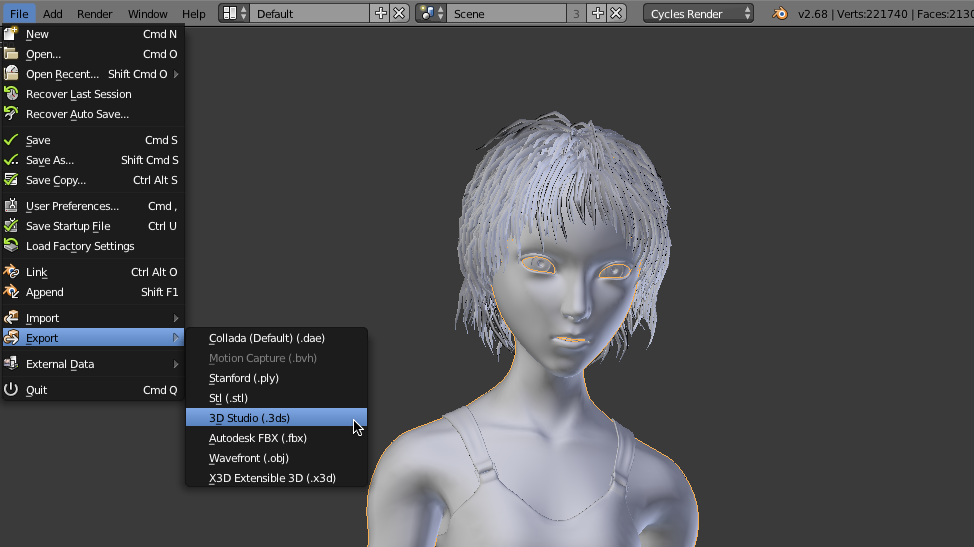
File Formats

Blender comes packed with import/export support for many different programs.
Including:
    Exporting in Blender
  • Image
    JPEG, JPEG2000, PNG, TARGA, OpenEXR, DPX, Cineon, Radiance HDR, SGI Iris, TIFF
  • VideoAVI, MPEG and Quicktime (on OSX).
  • 3D
    3D Studio (3DS), COLLADA (DAE), Filmbox (FBX), Autodesk (DXF), Wavefront (OBJ), DirectX (x), Lightwave (LWO), Motion Capture (BVH), SVG, Stanford PLY, STL, VRML, VRML97, X3D.

Flexible Interface

Blender's UINovice and advanced users will love the ability to customize their layout completely. From simply splitting their viewport, to fully customizing it with python scripting, blender works for you.
Blender’s interface also offers:
  • Consistency across all platforms
  • No disruptive pop-up windows
  • Crisp text (support for retina on OSX)
  • Download
Share:

Download Inkscape 64 / 86bit

Overview

Inkscape is an open-source vector graphics editor similar to Adobe Illustrator, Corel Draw, Freehand, or Xara X. What sets Inkscape apart is its use of Scalable Vector Graphics (SVG), an open XML-based W3C standard, as the native format.

For Designers of all Kinds

The design process may begin by doodles on a napkin, a sketched mindmap, a photo of a memorable object, or a mockup in software which really wouldn't work to complete the project.  Inkscape can take you from this stage to a final, professional-grade design format which is ready for publication on the web or in physical form.
If you are new to the process of creating vector graphics it may feel different, but you will quickly be pleased by the flexibility, and power Inkscape offers. Vector design is often the preferred method of image creation for logos, illustrations and art which require high scalability. The Inkscape application is used across a wide variety of industries (marketing/branding, engineering/CAD, web graphics, cartooning) and individual uses.
There are many learning resources available, take advantage of them!

Professional Publishing

All Inkscape projects may be exported in formats friendly to web browsers or commercial printer rooms. It is cross-platform, which means it is easy to run on Windows, Mac OS X, and Linux distributions. Visit the Download page to install or share this application now.

Free Community

Inkscape is free! By this, we mean it is free of cost, free to use and distribute, and open to peek into the source code. The Download page lists released builds as well as some developmental and source code links.
The software development of Inkscape adheres to opensource standards, and is intended to provide the user community with a solid, usable product.  The process is an open, community-oriented development which focuses on a small core and extensibility.  The historic baseline is the Sodipodi Hydra codebase. Please consider joining us if you have an interest, skill or positive voice you would like to offer.  Visit our Contribute page to learn more.
Share:

Popular

Labels

Unordered List

  • Lorem ipsum dolor sit amet, consectetuer adipiscing elit.
  • Aliquam tincidunt mauris eu risus.
  • Vestibulum auctor dapibus neque.

Pages

Theme Support

Need our help to upload or customize this blogger template? Contact me with details about the theme customization you need.